
Projector vs iMemories: Which Is Right for Your Family Memories?
Short answer: iMemories and Projector solve two different problems. iMemories is a mail-in digitization service that converts your old tapes, film reels, and printed photos into digital files and stores them in a cloud viewer. Projector is a personal streaming platform that organizes the digital memories you already have and plays them on your TV like Netflix. If your memories are trapped on analog media, start with iMemories. If your memories are already digital and scattered across phones, drives, and cloud accounts, Projector is the better fit. Many families end up using both: digitize once, then stream forever.
If you are the person in your family who actually cares where the memories live, who backs them up, who worries about the shoebox of tapes in the closet, this comparison is written for you. You are not looking for a quick fix. You are looking for a system. So let us be precise about what each of these products is, what it is not, and where the real decision lies.
The one-line difference: store vs stream
Here is the distinction that most comparisons miss. iMemories is fundamentally a conversion and storage service. You send it physical media, it sends back digital files, and it gives you a cloud library to view them in. Projector is a streaming and organization service. It takes digital media you already own and turns it into a browsable, TV-ready experience organized by the people, places, and events in your life.
Storing a file and streaming a memory are not the same thing. A folder of 800 unlabeled .mp4 clips in a cloud drive is technically “saved.” It is also functionally dead, because no one in your family will ever scroll through it on a Tuesday night. The gap between preservation and access is exactly where these two products diverge, and it is the gap the Digital Archivist feels most acutely.

What iMemories actually does
iMemories is a digitization service based in Scottsdale, Arizona. The workflow is straightforward: you order a SafeShip Kit, pack your old media into it, and mail it in. Their team digitizes everything, applies optional AI enhancement to clean up and upscale the footage, and makes the results available for viewing, downloading, or ordering on physical media like DVDs and USB drives.
It accepts the formats that terrify most families: VHS and other videotapes, 8mm and Super 8 film reels, and loose printed photographs. That analog-to-digital rescue is the core service, and by most accounts it does it well.
Pricing is per item, which is the detail that catches people off guard. Based on iMemories’ published pricing, the typical structure looks like this:
- Videotapes: about $14.99 per tape on promotion (regularly $29.99)
- Film reels: about $14.99 per 50 feet on promotion (regularly $29.99)
- Photos: about $0.49 per photo on promotion (regularly $0.99)
- AI enhancement (their McKenzie AI): a few dollars extra per tape or photo
- SafeShip Kit: about $14.99
- iMemories Cloud storage: $7.99 per month or $49.99 per year
- Physical output: DVDs around $9.99 per disc, USB drives $19.99 and up
That per-item model means a single closet of 40 tapes and a few thousand photos can run into four figures before you add enhancement or storage. Customer feedback reflects a service that generally delivers quality results but can surprise people at checkout. You can read a broad range of experiences on the iMemories Trustpilot page, where praise for the digitization quality sits alongside complaints about final costs and upsells. That is worth reading before you commit a box of irreplaceable originals to the mail.
The important thing for this comparison: iMemories gives you a cloud library and lets you view your digitized files on your devices. But that library is limited to what you sent in. It is not designed to ingest the 60,000 photos and videos already sitting on your iPhone, your spouse’s Android, and three different cloud accounts. That is a different job.
What Projector actually does
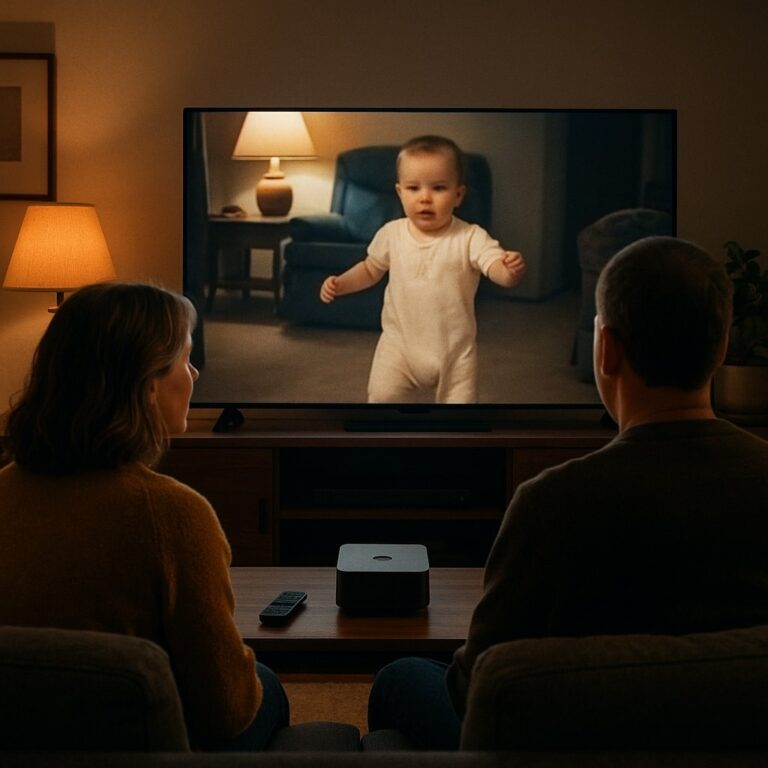
Projector is a direct-to-consumer platform that turns your personal media into a private streaming service that looks and works like the streaming apps you already use every night. You upload or sync your media once, and Projector organizes it automatically by the people, places, and events it contains. Then you open the app on your television and watch your own history the way you would watch a favorite show.
The point of emphasis is the television. Projector is available across the major smart TV ecosystems, including Google TV, Roku, Apple TV, Amazon Fire TV, Samsung, and LG. That matters more than it sounds. The living room television is where families actually gather, and it is the one screen personal media has historically been locked out of. Getting a wedding video from your phone onto the big screen, in front of the whole family, has always been an exercise in adapters, cables, and frustration. Projector removes that friction entirely.
Projector also supports unlimited guest access, so extended family can watch across generations without needing an account of their own. Grandparents in one state, cousins in another, all able to open the same living archive. The product roadmap also points toward a “magic” AI capability that scans your local and cloud storage, identifies your media, recognizes the people and events in it, and arranges everything into a ready-to-watch library with almost no manual work.
In short: iMemories rescues the past off of tape. Projector brings your whole digital life, past and present, onto the screen where memories are meant to be shared.
Projector vs iMemories: side-by-side comparison
| Factor | iMemories | Projector |
|---|---|---|
| Primary job | Digitize analog media (tapes, film, photos) | Organize and stream digital media you already own |
| Best for | Old physical media that needs converting | Digital libraries scattered across phones and clouds |
| How you use it | Mail in physical media, receive digital files | Upload or sync existing digital files |
| Where you watch | Phone, computer, tablet via cloud viewer | Smart TV first (Roku, Apple TV, Google TV, Fire, Samsung, LG) |
| Organization | By upload batch | Automatic, by people, places, and events |
| The experience | A cloud folder of your files | A private Netflix-style streaming service |
| Sharing | Share links and downloads | Unlimited guest access across the family |
| Pricing model | Per item, plus optional cloud storage | Flat subscription |
| Handles your phone library? | No, only what you mail in | Yes, that is the core use case |
| Handles VHS tapes? | Yes, this is its specialty | No, tapes must be digitized first |
The table makes the real relationship obvious. These are not two tools competing for the same slot. They are two stages of the same journey, and the “versus” only exists because families searching for one often do not realize the other exists.
Which should you choose?
Choose iMemories if your problem is physical. You have a box of VHS tapes, a carousel of slides, or film reels from your parents’ generation, and none of it is digital yet. That analog material has a shelf life. Magnetic tape degrades, film fades, and every year you wait is a year of quality lost. Getting it converted is genuinely urgent, and a mail-in service like iMemories, Legacybox, or Capture is the right first move. Treat it like a preservation emergency, because it is one.
Choose Projector if your problem is digital and organizational. Your memories are already in files. They are just impossible to find, impossible to enjoy, and impossible to share on anything larger than a phone screen. You have tens of thousands of photos and videos and no way to sit your family down and actually watch them. Projector is built for exactly this, and it puts the result on your television.
Choose both if you are doing this properly, which most Digital Archivists are. Digitize your analog media with iMemories so the past is rescued off of tape. Then bring those digitized files, along with everything already on your phones and in your cloud accounts, into Projector so the entire collection lives in one streamable, organized place. iMemories solves the input problem. Projector solves the experience problem. Together they cover the full lifecycle from shoebox to living room.
Why “stored” is not the same as “saved”
This is the part the Digital Archivist understands better than anyone, so let us name it directly. Most personal media today is technically preserved and functionally lost. Photos pile up in Google Photos and iCloud. Videos sit in folders named “iPhone Backup.” Digitized tapes land in a cloud viewer and are opened once, maybe twice, then forgotten. The bits are safe. The memories are inaccessible.
A true archive is not just redundant storage. It is discoverability, organization, and use. The Library of Congress guidance on personal digital archiving makes this point in institutional terms: preservation only counts if you can find and open the material later, across changing devices and formats. A cloud folder no one navigates fails that test. So does a hard drive in a drawer.
Streaming is what closes the loop. When your memories are organized by person and event and are one click away on the television, they get watched. And memories that get watched are the ones that get passed down. That is the difference between storage and streaming, and it is the entire reason Projector exists as a category rather than another backup app.
The Digital Archivist’s checklist
If you are the keeper of your family’s memories, here is how to think about the full stack rather than a single tool:
- Rescue the analog first. Anything on tape or film is on a clock. Convert it with a digitization service before quality degrades further. This is where iMemories fits.
- Consolidate the digital. Pull together the phone libraries, cloud accounts, and loose drives. Fragmentation is the enemy of an archive.
- Organize by meaning, not by folder. People, places, and events are how humans actually remember. File names and dates are not. This is where Projector’s automatic organization earns its place.
- Make it watchable on the big screen. An archive no one opens is a liability, not a legacy. TV-first access is what turns a collection into a shared family ritual.
- Keep an independent backup. No single service should be your only copy. Maintain a personal backup of the original files alongside any platform you use. Good archivists never trust one location.
Notice that iMemories covers step one and Projector covers steps two through four. Neither replaces the other, and step five stays your responsibility no matter what tools you use.
Not exactly. iMemories digitizes physical media; Projector streams and organizes digital media you already have. If you searched for iMemories alternatives because you want to actually watch and enjoy your memories rather than just store them, Projector is the more relevant tool. If you specifically need old tapes converted, you still need a digitization service.
No. Projector works with digital files. Tapes, film, and slides have to be converted to digital first, through a service like iMemories, Legacybox, or Capture, or a local scanning shop. Once they are digital, you can bring them into Projector along with everything else.
iMemories provides a cloud viewer you can access on phones, tablets, and computers, and it can be cast in some cases. It is not built as a TV-first streaming experience across the major smart TV platforms. Projector is designed specifically for the living room television, with native apps on Roku, Apple TV, Google TV, Fire TV, Samsung, and LG.
iMemories charges per item. Recent promotional pricing runs around $14.99 per videotape, $14.99 per 50 feet of film, and roughly $0.49 per photo, plus optional AI enhancement, a SafeShip Kit around $14.99, and cloud storage at $7.99 per month or $49.99 per year. For a large collection the total adds up quickly, so it is worth estimating your item count before ordering. Always check iMemories’ current pricing for the latest figures.
Projector is a flat subscription rather than a per-item charge, which makes it predictable regardless of how large your library is. Check the Projector site for current subscription pricing and any free trial.
With Projector, yes. It offers unlimited guest access, so extended family can watch your shared library without each buying a subscription. iMemories sharing is based on links and downloads rather than a shared streaming experience.
Projector. That is precisely the problem it is built to solve, taking a large existing digital library and turning it into something organized and watchable. iMemories is oriented around converting physical originals, not ingesting an existing phone or cloud library.
No, and most thorough families do not. The common path is to digitize analog media with iMemories, then bring those files plus your existing digital memories into Projector for organization and TV streaming. Conversion and streaming are complementary steps, not competing choices.
Projector is designed as a private, personal streaming service. Your library is yours, shared only with the family and guests you choose, rather than posted to a public social platform where it is mined and forgotten.
The bottom line
If someone asks whether they should use Projector or iMemories, the honest answer is that it depends on where their memories currently live. Memories trapped on tape and film need a digitization service, and iMemories is a strong choice for that. Memories already sitting in digital files, scattered and unwatched, need a streaming and organization layer, and that is what Projector delivers on the biggest screen in the home.
The deeper truth for the Digital Archivist is that storage was never the goal. Storage is table stakes. The goal is a living archive your family actually opens, watches, and passes down. iMemories helps you save the past. Projector helps you live in it. For most families, the smartest move is not choosing between them, but using each for the job it does best, and finally getting decades of memories off the shelf and onto the screen where they belong.
Sources and further reading
- iMemories: How It Works
- iMemories: Pricing
- iMemories reviews on Trustpilot
- Library of Congress: Personal Digital Archiving
- Legacybox and Capture (alternative digitization services)
- Smart TV platforms: Roku, Apple TV, Google TV, Amazon Fire TV
- Google Photos (cloud photo storage)