Simple Ways To Share Old Home Videos With Family Online
Old home videos used to live on tapes and discs that only played on one device in one room. Today your family is scattered across cities and time zones, and everyone expects to watch everything online. The good news is that sharing those memories can be simple, private, and great to watch together if you choose the right approach.
This guide walks through how to get your old home movies into digital form, where to store them, and the best way to share them so your family can sit on the couch and watch together on the TV, not just hunch over a phone. Along the way you will see where a dedicated family platform like Projector fits in.
Step 1: Digitize your old home videos
Before you can share anything online, your tapes and discs need to become digital video files. If you already have .mp4 or .mov files from a phone or camera, you can skip ahead. For older formats, you have two options: do it yourself at home or use a transfer service.
Do it yourself works well if you are comfortable with cables and basic software. You can connect a VCR or camcorder to a USB capture device that plugs into your computer, press play on the tape and record in a simple capture app. This takes real time, so a two hour tape will take two hours to transfer, but you are in full control of your originals and cost. Make sure you save the finished files with clear names like “1998_Summer_Vacation.mp4” so you can find them later.
If that sounds like too much work, many photo and pharmacy chains and local media shops will convert tapes, film reels, and DVDs to digital files for you. They typically deliver your memories on a USB drive, a disc, or as downloadable files. Once you have those files, you are ready to upload them to an online service for storage and sharing.
Step 2: Choose where to store and share your videos
There are three big things to think about when you pick a home for your family videos online: privacy, file size, and viewing experience.
Most general cloud storage or social apps can technically store video. The challenge is that home movies are large files, they eat a lot of space, and not every platform is designed for relaxed living room viewing. Some share publicly by default or mix your private clips in with social feeds. That might be fine for a short phone clip, but it is usually not how you want to handle decades of family archives.
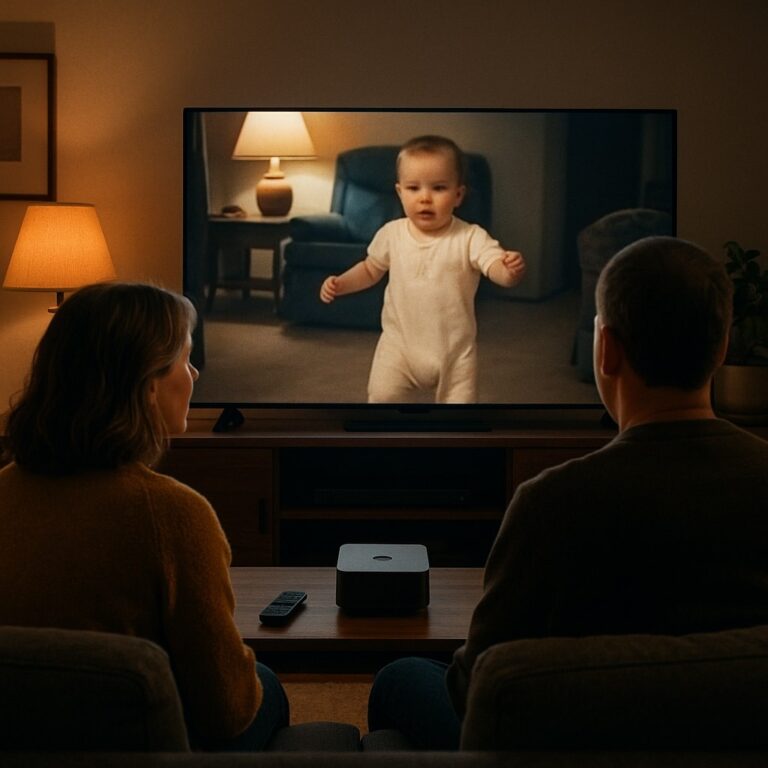
Projector is built specifically for personal home videos and photo albums. Instead of acting like another social network, it behaves like a private streaming service for your family memories. You upload your videos once to secure cloud storage, then stream them on Smart TVs using apps for Apple TV, Roku, and Google TV. This focuses on two things that matter most for families: keeping content private and making it simple for everyone to watch on the biggest screen in the house.
Why cloud-based storage is ideal for home movies
Home video files can be very large, especially after you digitize VHS or record in HD or 4K on a phone. Email attachments usually cap out after a few hundred megabytes, and passing around USB drives quickly becomes confusing. A cloud-based service solves those limits, because your master copy lives online and your family streams a copy when they want to watch.
With Projector you get unlimited video storage for your home movies, so you do not have to stress about which clip to keep or delete as you go. You can keep every birthday, holiday, and school play online together, then organize them into playlists or albums that match your family story instead of juggling multiple drives and folders.
Step 3: Decide how private you want your sharing to be
Different families have different comfort levels. Some are happy to post short moments publicly, others prefer that everything related to kids and relatives stays within a closed group. Before you start uploading files everywhere, it helps to decide whether you want public, semi-private, or fully private sharing.
If you want full control over who sees what, look for a platform that treats your videos as private by default and gives you simple controls to invite only the people you choose. Projector is designed as a family-first, private environment. Your home videos and photos are not mixed into a public feed, and you decide which relatives can access which albums. That works especially well for parents who prefer to keep kids off public social media but still want grandparents and cousins to enjoy those memories easily.
Step 4: Share in a way that is easy for non-technical relatives
It is common for one person in the family to become the unofficial archivist. If that is you, your job is not just to upload the videos, but to make them simple for everyone else to enjoy without tech frustration. Think about your least-technical relative and work backward from what is easiest for them.
Phone links and downloads can be confusing, especially when they require everyone to figure out where a file saved or which app opens it. This is where a Smart TV friendly platform makes a big difference. Projector lets your relatives install an app on devices they already use, such as Apple TV, Roku, or Google TV. Once they sign in, they simply scroll through your family library on the TV just like they would with a streaming service. There are no downloads to manage and no strange file formats to worry about.
For relatives who prefer computers or tablets, you can still share Projector albums through a browser. The same videos you uploaded are streamed from the cloud, and they play back in a familiar interface. That flexibility means each person can watch memories in the way that fits them best, while you only manage a single organized library.
Step 5: Organize your family video library for better sharing
Once your videos are online, a little bit of organization goes a long way. Instead of one giant folder called “Home Movies,” think about how your family naturally remembers events. You might group by decade, by child, or by type of event, such as holidays and vacations.
Inside Projector you can create photo and video albums that reflect those categories. For example, you could have an album for “Grandkids Highlights,” another for “Old 90s Camcorder Tapes,” and one for “Wedding and Anniversaries.” Each album can contain both videos and photos, which is perfect if you also scanned old photo prints or already have digital photos from phones.
- Use clear names for albums and videos so relatives know what they are opening.
- Group related clips together so they play like a show, not a random mix.
- Add new videos regularly so there is always something fresh to watch.
Good organization makes it easy to send a single link or direct relatives to one section, for example “All of Grandma’s stories are in this album,” instead of asking them to dig through an unstructured list of files.
Step 6: Create shared viewing moments, not just links
Sharing old home videos is about more than handing off a file. It is an opportunity to create shared experiences even when you are not in the same room. Once everything lives in one place, you can plan virtual or in-person watch parties that feel like a family movie night.
Because Projector is built for TV playback, it is natural to gather everyone around the screen. Families often set up a weekly or monthly “memory night” where they pick a theme, like “early childhood” or “vacations,” and stream a curated album to the living room TV. If some relatives are remote, you can get on a video call and press play at the same time so everyone watches together while sharing reactions.
Over time this turns your digital archive into a living part of your family culture. You are not just preserving tapes from a box in the attic, you are turning them into stories your kids and relatives actually see and talk about.
Where Projector fits in your sharing plan
There are many ways to put videos online, but they are not all designed for personal family archives. Projector focuses specifically on home movies and photo albums, with unlimited video storage, private sharing, and apps for Apple TV, Roku, and Google TV. That combination means you can upload once, organize thoughtfully, then give your family a simple, familiar way to watch on the biggest screen they own.
If you are looking for the easiest way to share old home videos online without juggling multiple tools, a dedicated family streaming platform is the most straightforward path. You get the safety of private cloud storage, the convenience of one central library, and the joy of watching your memories the way they deserve to be seen, together on the TV.