Simple Ways To Watch Old VHS Family Tapes On Your Smart TV
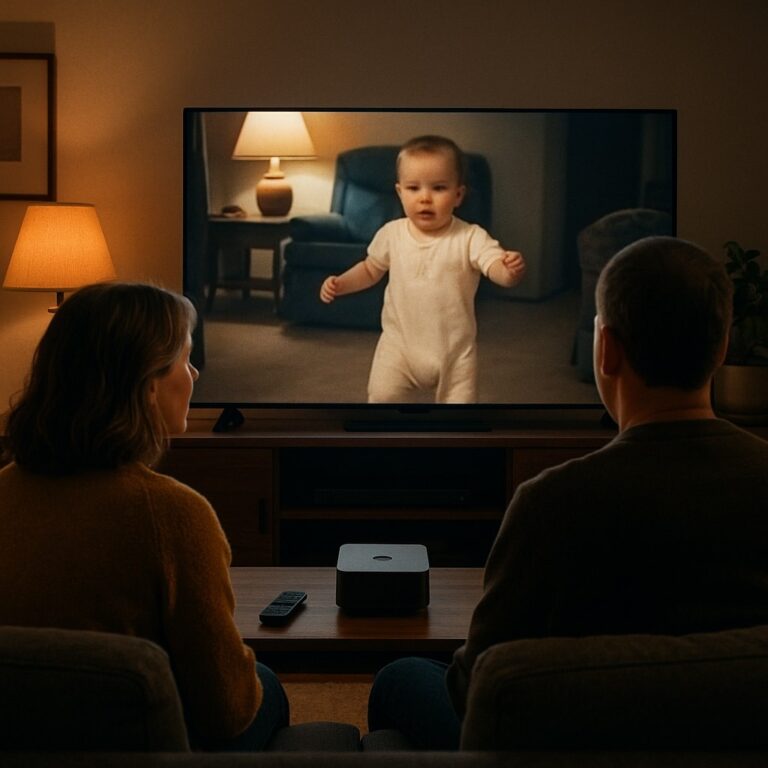
Those old VHS tapes of birthdays, first steps, graduations and family vacations do not have to stay trapped in a box in the attic. With a few simple tools you can bring them onto your smart TV so everyone can enjoy them together on the big screen again.
There are two main paths to watch VHS on a modern TV. You can connect a VCR directly to your TV with an adapter or you can convert the VHS tapes to digital files and stream them. Both work, but one is much more future friendly. This guide walks through each option step by step and shows how a service like Projector can help you turn those tapes into a private, streaming library for your family.
Option 1: Connect Your VCR To The Smart TV With Adapters
If your old VCR still works, the quickest method is to plug it into your TV. Most VCRs use composite video, which is the familiar yellow, red and white RCA cable. Smart TVs today are built around HDMI, so you usually need a small adapter between the two.
First, check the back or side of your smart TV for its available inputs. A few models still include an analog input that accepts composite video through a special adapter cable. If you see three round ports colored yellow, white and red, or a single port labeled AV In that came with an adapter in the box, you can connect the VCR directly without anything extra.
If your TV only has HDMI ports, you will need a composite video to HDMI converter. This is a small powered box with yellow, red and white inputs on one side and an HDMI output on the other. You plug the VCR cables into the converter, then run an HDMI cable from the converter to your TV. After that, select the correct HDMI input on your TV and press play on the VCR.
Converters are widely available online and in electronics stores in the United States. When choosing one, make sure it specifically mentions composite video or RCA to HDMI support. These converters do not improve the quality of the VHS image, but they do make it compatible with your TV so you can watch tapes immediately.
This direct connection method is useful for a one time viewing or to spot check old tapes. However, it still leaves all your memories locked on fragile VHS. Tapes can degrade, players break and rewinding to find a specific moment takes time. For long term enjoyment, converting to digital is a better solution.
Option 2: Convert VHS Tapes To Digital Files
Converting VHS to digital turns each tape into a video file you can save, back up and play on almost any device. Once your tapes are digital, you can watch them on phones, tablets, computers and smart TVs without needing a VCR at all.
There are two main approaches. You can send tapes to a professional VHS to digital conversion service, or you can do it yourself at home with a VHS to digital converter kit. Which path makes sense depends on your budget, your time and how comfortable you are with basic tech setup.
Using A VHS To Digital Conversion Service
Professional services handle the entire transfer for you. You mail in your VHS tapes, they digitize them, then send back the originals along with digital copies. These copies may come on a USB drive, a disc or a downloadable link, depending on the service.
In the United States, pricing usually depends on tape length and quantity. As of 2026, a typical range for VHS to digital conversion is often per tape, with discounts for larger batches. Extra services like cleaning, repair or custom menus can add to the cost. For families with a small stack of very precious tapes and no desire to fiddle with cables, this can be a worthwhile investment.
Once you have the digital files, you can save them on your computer, back them up to an external drive and upload them to a streaming platform like Projector so they are easy to watch on your TV.
Using A DIY VHS To Digital Converter Kit
If you prefer to keep everything at home and reduce the per tape cost, a DIY converter kit is a good option. These kits typically include a USB capture device that plugs into your computer and has RCA inputs for the VCR cables, along with simple capture software.
The setup is straightforward. You connect the yellow, red and white cables from the VCR to the capture device, plug the device into a USB port on your computer, install the included software, then press play on the VCR and record in the software. The software saves a digital video file that you can store and organize.
DIY kits usually require more of your time, since each tape has to be recorded in real time. A two hour tape takes two hours to capture. However, the hardware cost is typically a one time purchase, and you can convert as many tapes as you like without additional fees.
When choosing a kit, look for one that clearly supports your computer operating system and includes modern software. Read descriptions to make sure it converts composite video to a common digital format such as MP4, which plays nicely with smart TVs and streaming devices.
Getting VHS Memories Onto Your Smart TV
Once your VHS tapes are turned into digital video files, you have several ways to bring them onto your smart TV. You can use a USB drive plugged into the TV, cast or mirror from a phone or computer, or upload them to a personal streaming service built for home videos.
Some smart TVs have a USB port that can read video files directly. You copy the converted videos to a USB drive, plug it into the TV and use the TV of media player to browse and play them. This approach is simple and does not require any internet connection, although it can be less convenient to search and organize if you have many videos.
Screen casting or mirroring uses your phone, tablet or laptop as the source and sends the video wirelessly to the TV. If your TV and device support casting or AirPlay, you can open the video on your device and send it to the TV with a tap. This works well for occasional viewing, although it depends on a good home network and keeps playback tied to that device.
Using Projector To Stream Old VHS Tapes Like A Private Netflix
For families who want a simple, long term way to enjoy and share these memories, a dedicated personal streaming platform creates the best experience. This is where Projector comes in.
Projector lets you upload your converted VHS home movies along with your phone videos and photo albums to a secure, cloud based library. Instead of hunting for old tapes or plugging in drives, you just open the Projector app on your smart TV and press play. It feels similar to a private streaming service made just for your family.
Projector supports Apple TV, Roku and Google TV apps, so it fits neatly into the way you already watch shows and movies. Once your videos are uploaded, you can organize them into playlists by year, event or person. That old VHS of a 1998 birthday party can sit right next to modern clips from your phone, all in one place on the TV.
Because Projector offers unlimited video storage, you can digitize your entire collection without worrying about running out of space. The videos are stored safely in the cloud, which protects them from tape degradation and hardware failures. You can share access with relatives so grandparents, siblings or cousins in other states can stream the same home movies on their own TVs without needing to copy files manually.
The experience is designed for non technical family members. Once someone sets up the account and uploads videos, anyone in the family can open the app and start watching without thinking about formats, cables or converters. It turns what used to be a tangle of analog and digital formats into one simple viewing experience.
Choosing The Path That Fits Your Family
Whether you are trying to watch a single VHS tape on a new TV for nostalgia or planning to digitize an entire closet of tapes, the right approach depends on your goals. If you need a quick one time viewing and still have a working VCR, a composite to HDMI adapter can get you up and running in an afternoon.
If you want to truly preserve these memories and make them easy to watch for years to come, converting to digital and streaming them is a better investment of your time and money. That can mean sending them to a trusted service for transfer or using a DIY kit at home. Once you have the digital files, loading them into a platform like Projector turns those old VHS recordings into an always available family library that looks right at home on your smart TV.
The important thing is to start before tapes deteriorate further. Pick one favorite family event, convert it, and see how it feels to watch it in your living room on a modern screen. From there, you can decide how many more to bring back to life and which tools fit your family best.